


DataNexus Logistics App
The DataNexus Logistics App brings the dispatch office, the warehouse and drivers into a single working environment. The office plans, the warehouse prepares, and the driver executes and reports progress, with shared information, task statuses and notifications inside the same application.
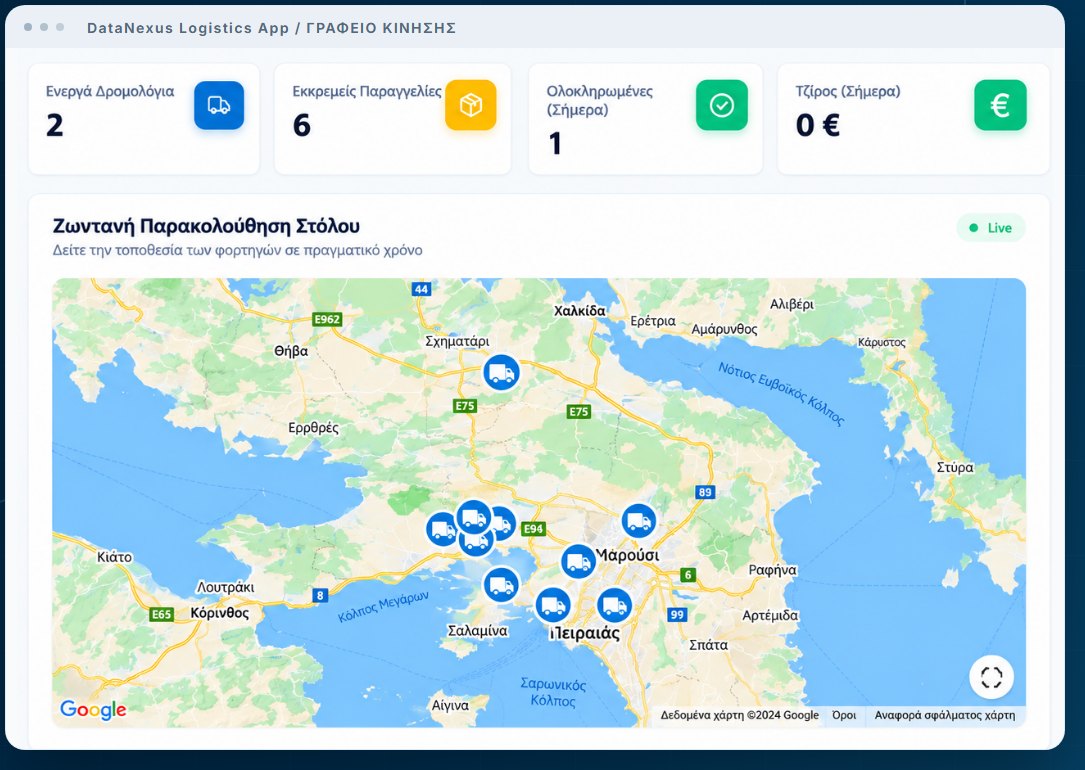
Dispatch office: the full picture and day-to-day control
The dashboard brings the day’s situation together: active route plans, pending orders, completed work and today’s revenue. Connected vehicles are shown on the map, and a new transport or route plan can be created directly from the dashboard.
The fleet list works as a vehicle register for plate number, model, vehicle type and Frotcom identifier, with search and data synchronisation through the Frotcom connection. Each vehicle record gives access to the route plans in which it has been used.
Customers hold their contact details and the history of the transports that concern them, with an Excel export for a selected date range, and can also be set as a stop. In the transport list, search and filters for status, delivery date and vehicle lead straight to the shipment, where orderer, sender, recipient, quantities, dimensions, weight, vehicle and status are shown together.
A single transport can include different goods and more than one recipient. Each recipient is linked to its own items, address and delivery window, while comments, attached files and notification details follow the job.
Route plans, stops and Frotcom
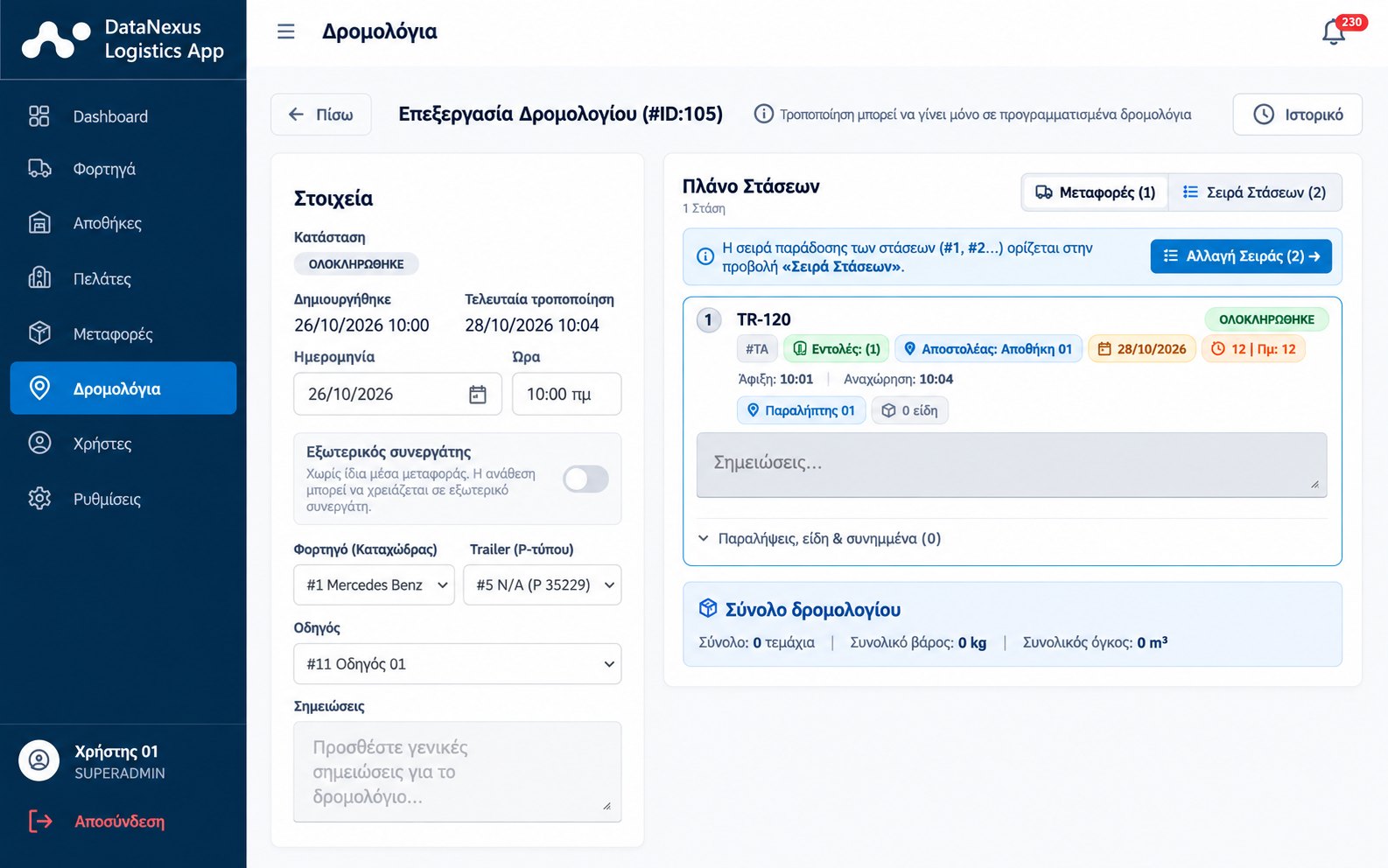
The office combines transports, a driver and vehicles into one execution plan: date and time, truck, trailer and driver, the transports to be carried and general notes. An external partner can be defined and external cost recorded on the same route plan. The overall plan view shows status, loads, total quantities, weight and volume, with access to the change history.
Loadings and unloadings appear as distinct stops in the sequence the driver will see, with the recipients’ delivery windows. The stops view records status, arrival and departure times, so planning and recorded execution stay in the same place. The Frotcom connection is used to synchronise vehicles and drivers and match identifiers, while the map gives a view of fleet positions and opens destinations for navigation.
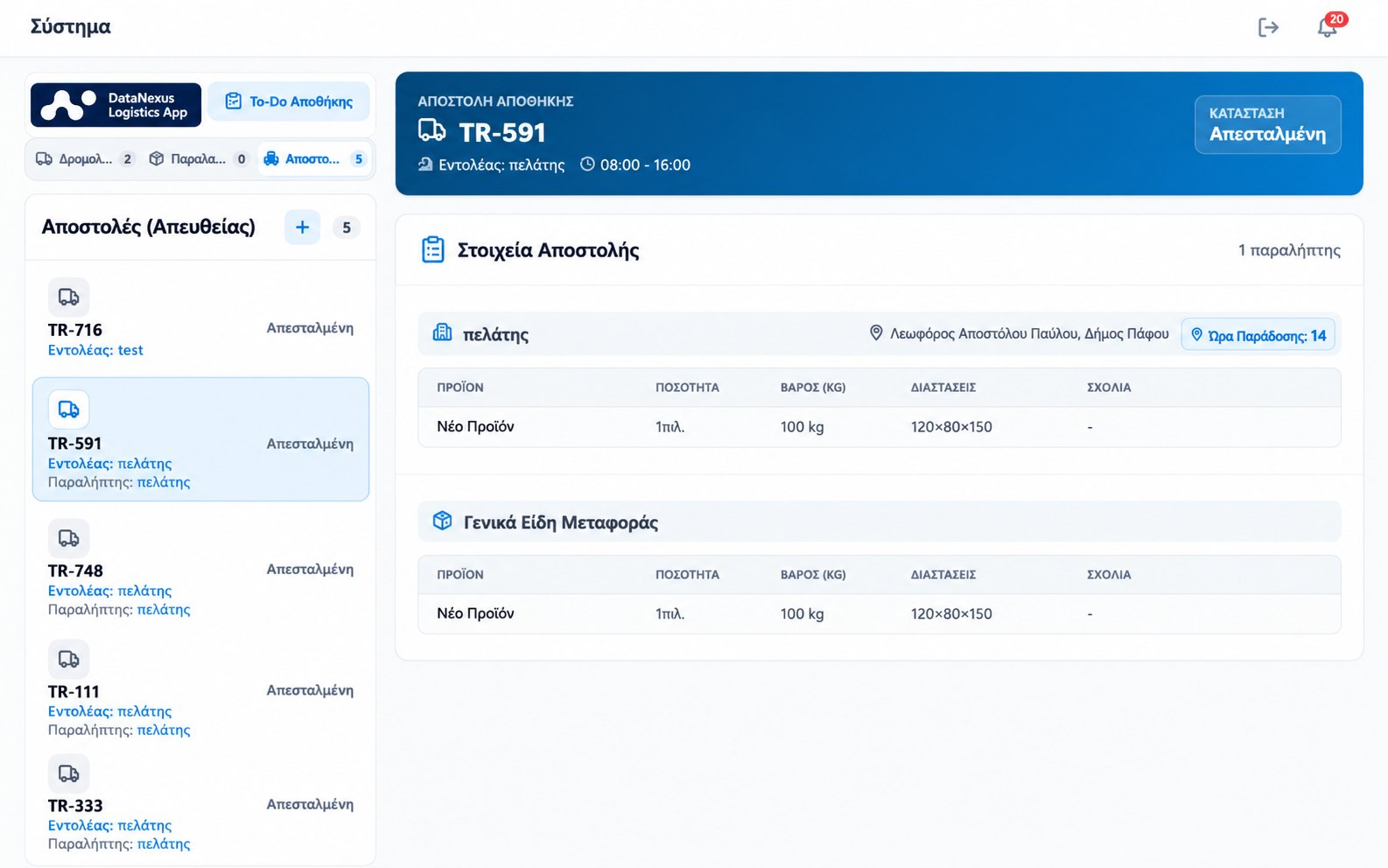
Warehouse: receipts, checks and loading
The warehouse team works on the same data as the office, from receipt to loading confirmation.
- Receipts with a full record: receipt name, orderer, vehicle type and plate number, and receiving warehouse.
- Item-level detail per receipt: product description, packaging, quantity, weight, dimensions and comments.
- Receipt tasks, file attachments and camera capture to document the cargo.
- Loading list based on the active route plan, with quantities, weight, dimensions and remarks checked before confirmation.
- Direct warehouse shipments and creation of a transport from a recorded receipt.
- A daily to-do list for checks, counts and loading preparation.
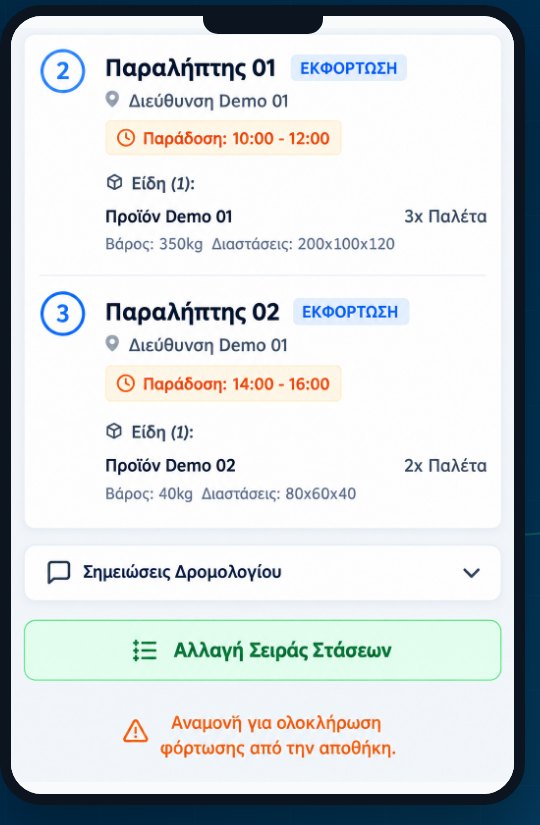
Driver: the route plan on the phone
The driver sees the assigned route plan gathered stop by stop, with the information needed before and during execution.
- Route plan preview with vehicle, date, loadings and deliveries.
- Stop details: sequence, address, delivery window and items with quantities, weights and dimensions.
- Route notes and opening the destination in Google Maps for navigation.
- Arrival and stop completion updates with photos, files and comments, plus recording returned quantities per item.
- Requests to change the stop sequence, with a reason, and the office’s approval or rejection.
Reports, Excel and role-based access
Job data supports both the daily picture and further processing. The revenue chart covers seven days, a month or a year, together with fleet availability and today’s workload, while Excel exports for transports, route plans, customers and warehouses follow the filters of each section.
Event notifications, such as route plan start and completion, arrival at a stop and status changes, reach the relevant users inside the application and appear in a shared, time-stamped feed. Access is organised by role:
- SUPERADMIN: dashboard and reports, the financial picture of customers and warehouses, user management and system settings.
- ADMIN: fleet, customers, transports, route plans, warehouse and the driver screen for the office’s operational needs.
- WAREHOUSE: warehouse screen and receipts.
- DRIVER: driver screen for executing the assigned plan.
A typical daily flow
A representative transport scenario, a warehouse pickup with deliveries to two recipients, shows how the teams work together:
- The office records the transport, selects the orderer and recipients, and adds items, quantities and time windows.
- It organises the route plan with truck, trailer, driver and the stop sequence, together with the relevant instructions.
- The warehouse checks the load, adds comments or files, and confirms loading.
- The driver sees the plan on the phone and updates arrival and completion for each stop.
- If a new sequence is needed, the driver submits a request and the office decides.
- The office reviews progress per recipient and uses history, notifications and Excel exports.
See how the DataNexus Logistics App organises the daily work of the office, the warehouse and the drivers.

